



Client intake and project briefs
Collect the context needed to start a project: goals, requirements, timelines and supporting information. A document-style form gives respondents room to read the brief alongside the questions.
 Independent minds.
Eight products. Different problems to solve. One parent company.
The questions that guide how we design and engineer software.
Bervyn brings together independent products and a development services business.
 Forms & feedback
Create conversational, document-style and single-page forms in one builder, with logic and integrations to connect the answers to your work.
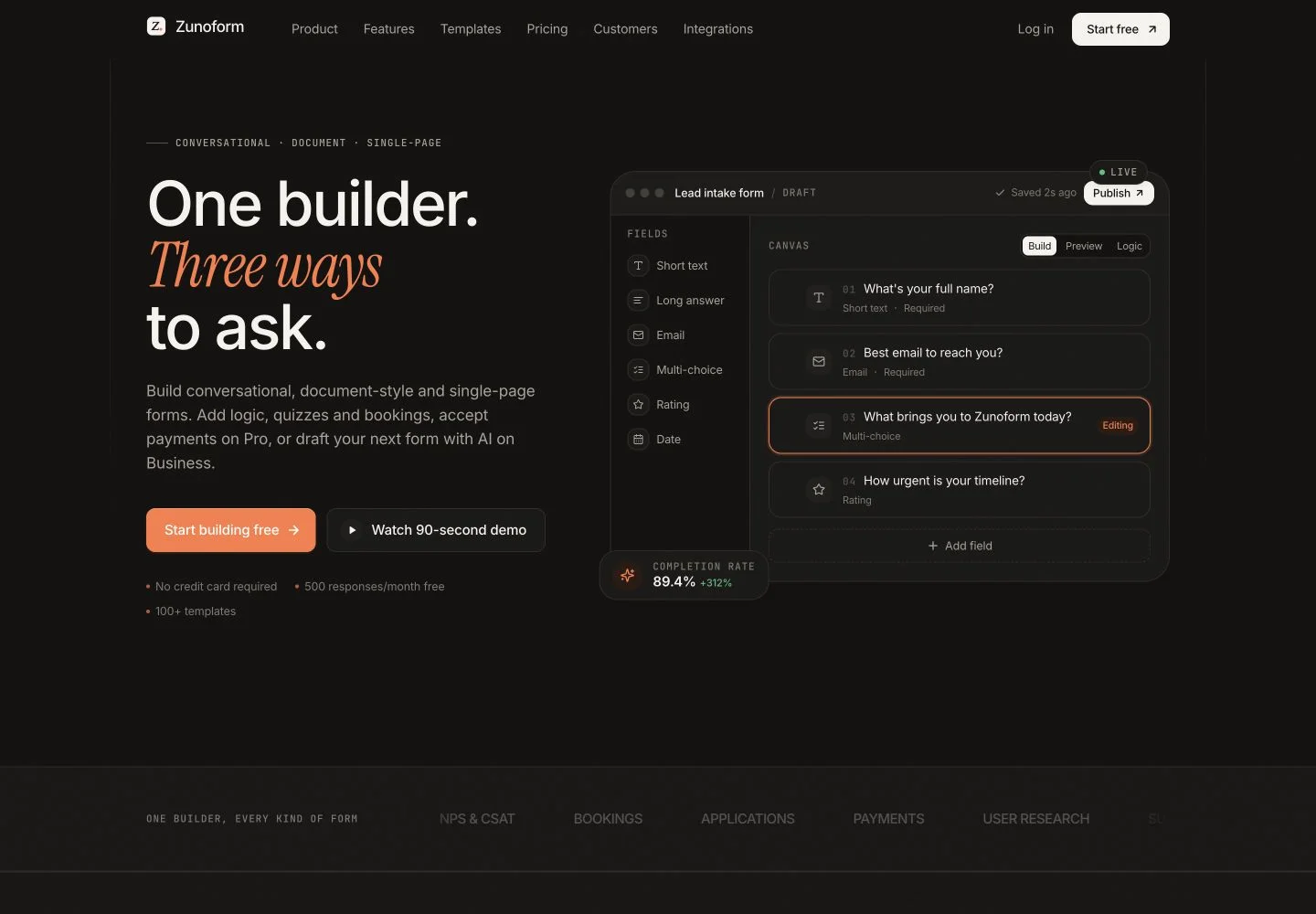
ZunoForm is an online form builder for the point where a business needs information from a person. That might be a short enquiry, a structured application, a customer survey or a detailed project brief. It brings three presentation formats into one product, so the format can follow the task rather than forcing every request into the same template.
The conversational layout guides someone through questions in sequence. The document layout keeps explanatory material and questions together. The single-page layout makes the whole request visible at once. Conditional logic can adapt what comes next, while response analytics help a team understand where people stop or complete the form.
For teams collecting enquiries, applications, research and customer feedback.
Collect the context needed to start a project: goals, requirements, timelines and supporting information. A document-style form gives respondents room to read the brief alongside the questions.
Ask an initial question, then use relevant follow-ups to understand the enquiry. Connect the resulting response to the tool your team uses to manage the next conversation.
Use structured questions and open responses to learn about an experience. Review response patterns and drop-off before deciding which question or step to change.
Begin with a layout and the information you actually need. Keep required fields focused and give unfamiliar questions enough context.
Add questions, logic and the relevant integrations. Preview different answers, including incomplete responses, before sharing the form.
Share a link or embed the form. Review incoming responses and make sure the connected destination receives the information as expected.
The official integration catalogue includes Google Sheets and Zoho CRM, with additional connections such as Slack, Notion and HubSpot depending on the plan. Webhooks and Zapier extend the workflow to other tools. Check the current catalogue before choosing a subscription.
Choose a form layout based on how much explanation the task needs. If payments, bookings, uploads or AI-assisted drafting are important, review their current plan availability and test the complete respondent journey, including what happens after submission.
The product supports conversational, document-style and single-page forms. Common applications include enquiries, surveys, quizzes, applications and bookings.
Yes. ZunoForm describes a visual logic editor for relevant follow-ups, skipped questions and calculated values. Preview each path before publishing.
Its published plans include payment collection and AI-assisted form drafting at different tiers. Availability and limits should be checked on the current product pricing page.
Yes. ZunoForm is one of the software products under Bervyn. Product accounts, plans and support are available through its own website.