




Email capture and first visits
Create a campaign that introduces an offer or invites someone to stay in touch. Use clear wording and appropriate display rules so the invitation fits the page.
 Independent minds.
Eight products. Different problems to solve. One parent company.
The questions that guide how we design and engineer software.
Bervyn brings together independent products and a development services business.
 Website engagement
Create popups, notification feeds, embedded widgets and web push campaigns to connect with website visitors.
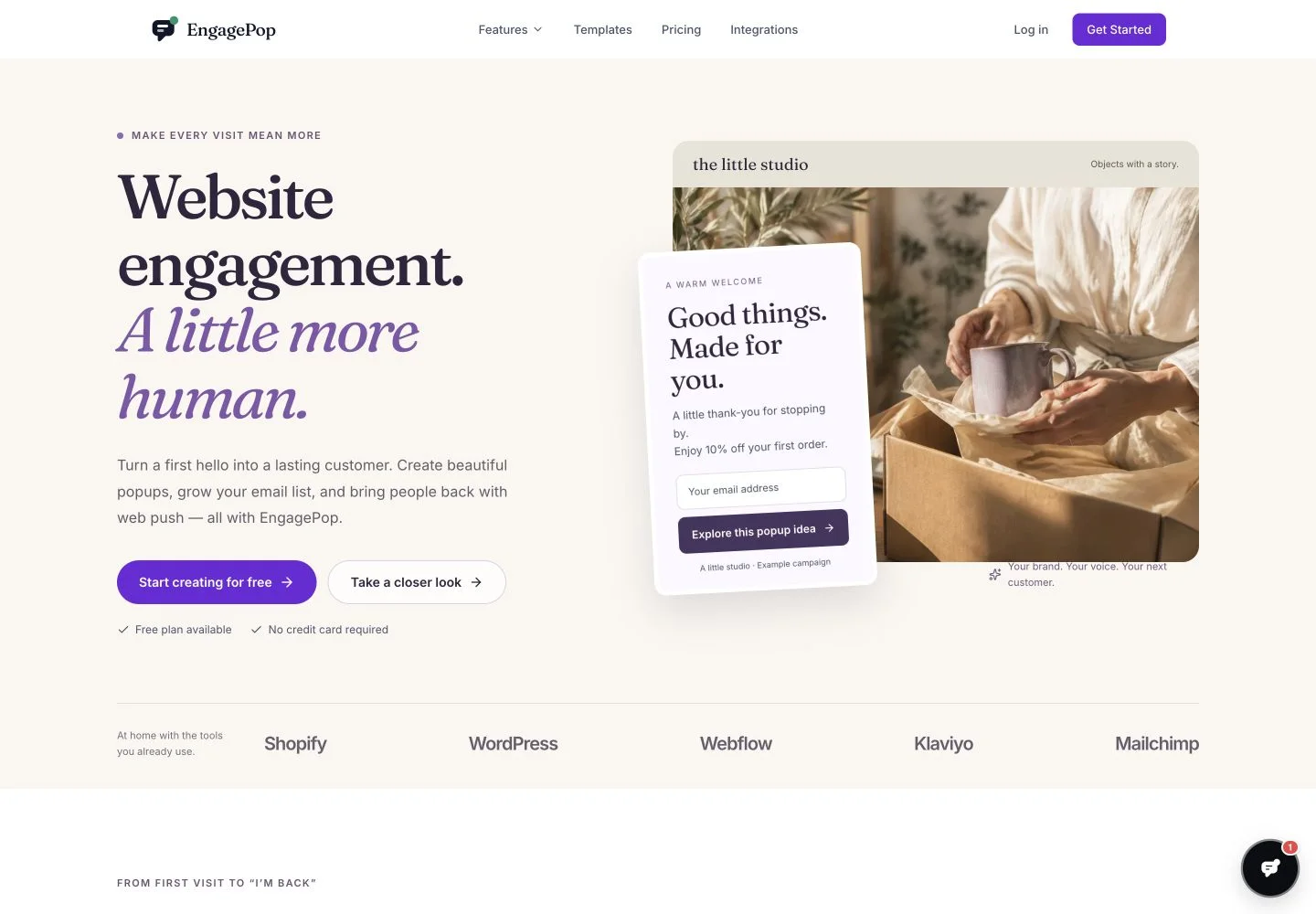
EngagePop is a website engagement platform for reaching visitors at different points in their journey. It brings popup campaigns, an on-site notification feed, embedded widgets and browser push notifications into one product. Each channel has a different role: an immediate invitation, an update someone can browse, or a reason to return later.
The visual builder is supported by audience rules, behavior triggers, frequency controls and campaign analytics. Those controls matter because a useful message is about timing and relevance as much as design. The aim is to connect a campaign to the visitor’s current task instead of interrupting every visitor with the same request.
For marketing and ecommerce teams building on-site campaigns and return visits.
Create a campaign that introduces an offer or invites someone to stay in touch. Use clear wording and appropriate display rules so the invitation fits the page.
Give updates a home in the on-site notification feed. Visitors can browse the information at their own pace rather than having every announcement appear as a modal.
Use web push for people who have opted in to browser notifications. Make the message specific enough that the destination is worth opening.
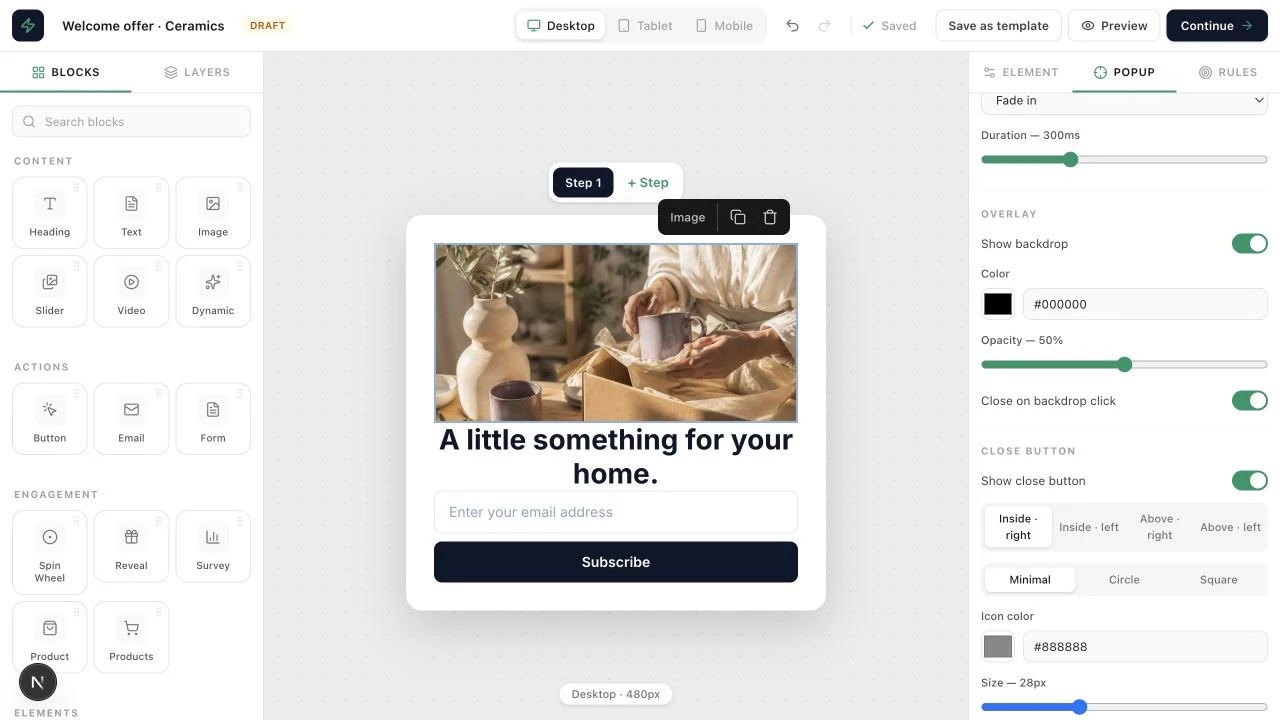
Start with the intended action and decide whether a popup, an embedded element, a feed item or web push fits that moment.
Build the campaign, choose the audience and set frequency limits. Preview the result in the context of the host page.
Review campaign analytics and compare variations where useful. Change one meaningful part of the experience at a time so the result is easier to interpret.
EngagePop publishes installation guides for platforms including Shopify, WordPress and Webflow, along with integrations such as Klaviyo and Mailchimp. Its developer resources also describe API and SDK options.
Check the complete visitor experience on desktop and mobile. Pay attention to close controls, display frequency, subscription choices and the page a campaign opens. Use real campaign outcomes rather than treating a larger number of impressions as success by itself.
The site lists popups, notification feeds, web push and embedded widgets, with a visual builder and targeting controls.
Yes. Web push campaigns reach visitors who have granted browser notification permission. The subscription experience should make the purpose clear.
A/B testing and campaign analytics are included in the published feature set. Check the current plan for availability and limits.
EngagePop focuses on website campaigns and visitor engagement. Wakeline focuses on contextual guidance and onboarding inside a live application.