



First-run onboarding
Guide a new user toward an initial meaningful action. Combine a short tour with a checklist that makes the setup tasks visible, rather than trying to explain every feature at once.
 Independent minds.
Eight products. Different problems to solve. One parent company.
The questions that guide how we design and engineer software.
Bervyn brings together independent products and a development services business.
 Product adoption
Build product tours, checklists, tooltips and in-app surveys on your live application, then measure how people move through them.
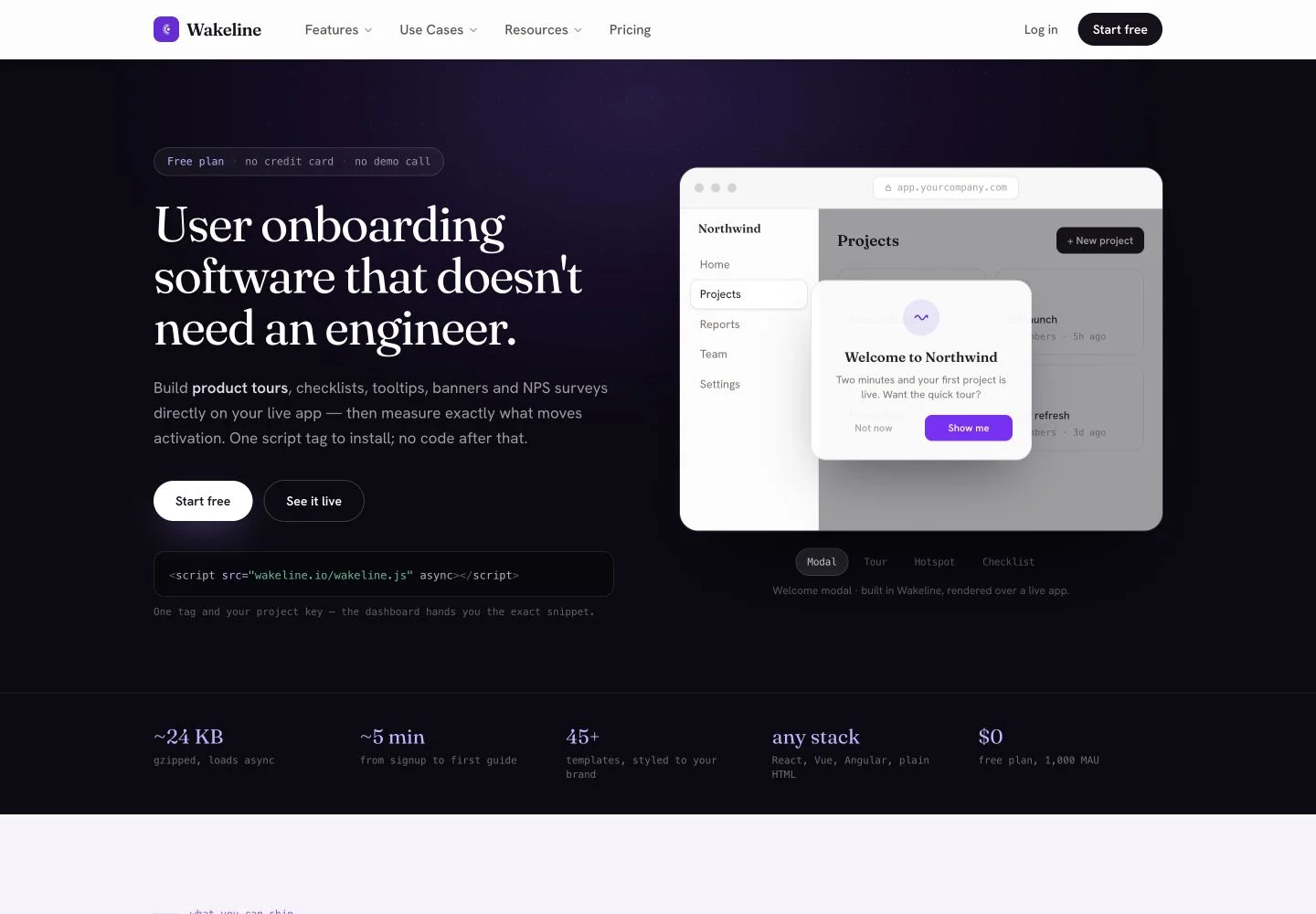
Wakeline is user onboarding software for helping people take the next useful step inside an application. It brings product tours, checklists, contextual tips, announcements and surveys into a visual workflow. The focus is the experience after someone arrives in a product: understanding what to do, discovering features and getting help in context.
The builder works over a live application so that guidance can be attached to real interface elements. After the installation step, product and success teams can adjust guides without waiting for a new application release. Targeting and analytics provide a way to review who sees a guide and how they move through it.
For product and customer success teams improving onboarding and feature adoption.
Guide a new user toward an initial meaningful action. Combine a short tour with a checklist that makes the setup tasks visible, rather than trying to explain every feature at once.
Introduce a new capability near the interface where it can be used. A contextual tooltip or announcement can be more relevant than asking someone to remember an earlier release email.
Use a survey or feedback prompt near the experience being discussed. Consider the audience and frequency so the request does not become an interruption on every visit.
Install the provided script in the application. Wakeline also describes a browser extension for evaluating and building guides on authenticated screens.
Select the relevant interface elements, write concise instructions and choose a suitable format. Set audience rules and preview the guide in the intended context.
Look at step-level completion, dismissals and survey responses. Use these signals to decide whether the guide needs a clearer message, a shorter path or a different audience.
Wakeline describes a browser-based installation that can work with React, Vue, Angular and other web stacks. The initial script installation is a technical setup step; guide creation and editing happen in the visual builder afterward.
Test guides on the screens and user states that matter to your application. Check how element targeting behaves after a layout change, whether the guidance is useful on smaller screens, and how the chosen plan measures monthly active users.
A developer is normally needed to install the script. After setup, the visual builder is intended for creating and publishing guidance without an application code change.
The official site describes a browser extension that works with your authenticated session when building guides for signed-in screens.
Wakeline lists checklists, tooltips, hotspots, announcement banners, modals, slideouts and NPS or microsurveys.
Wakeline adds guidance to a live application. Tellane creates a separate interactive demo that a prospect or customer can explore through a shared link.